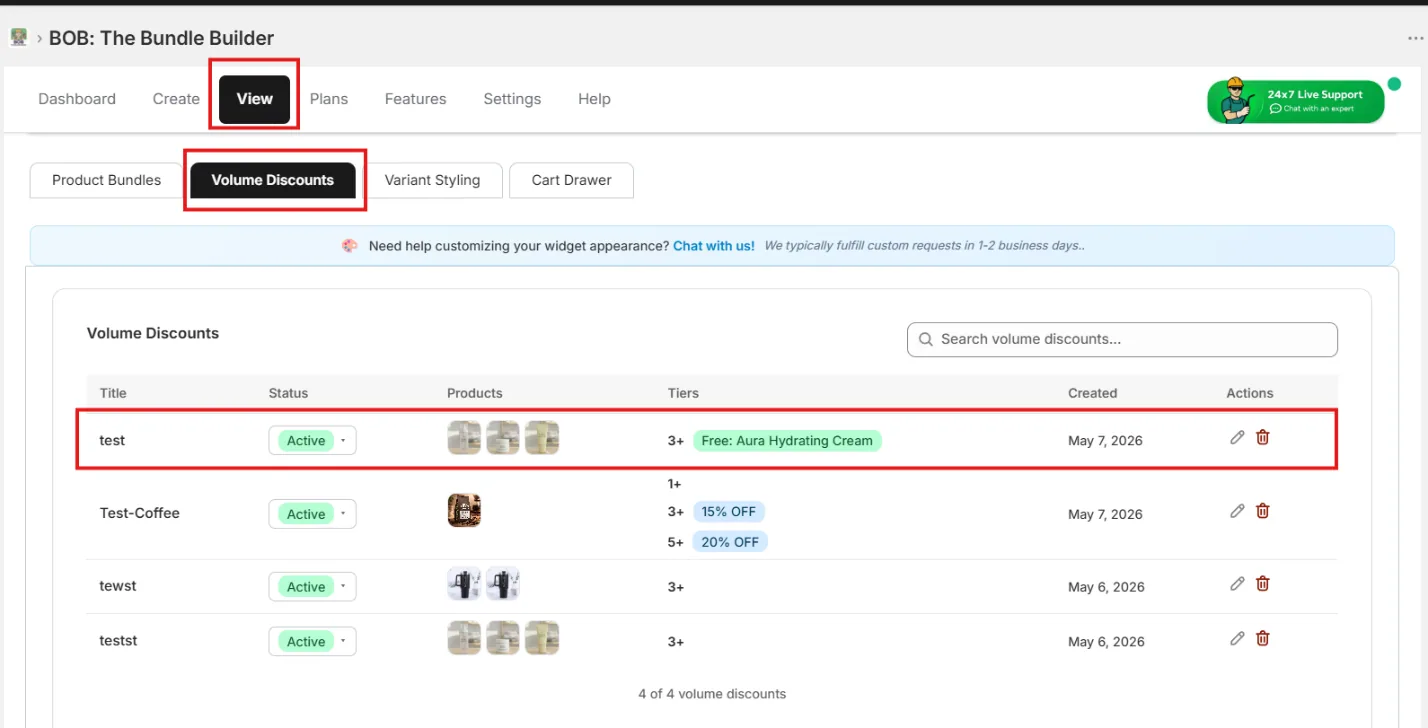
1. Choose the Bundle & Save template
Inside Volume Discounts, pick the Bundle & Save template.
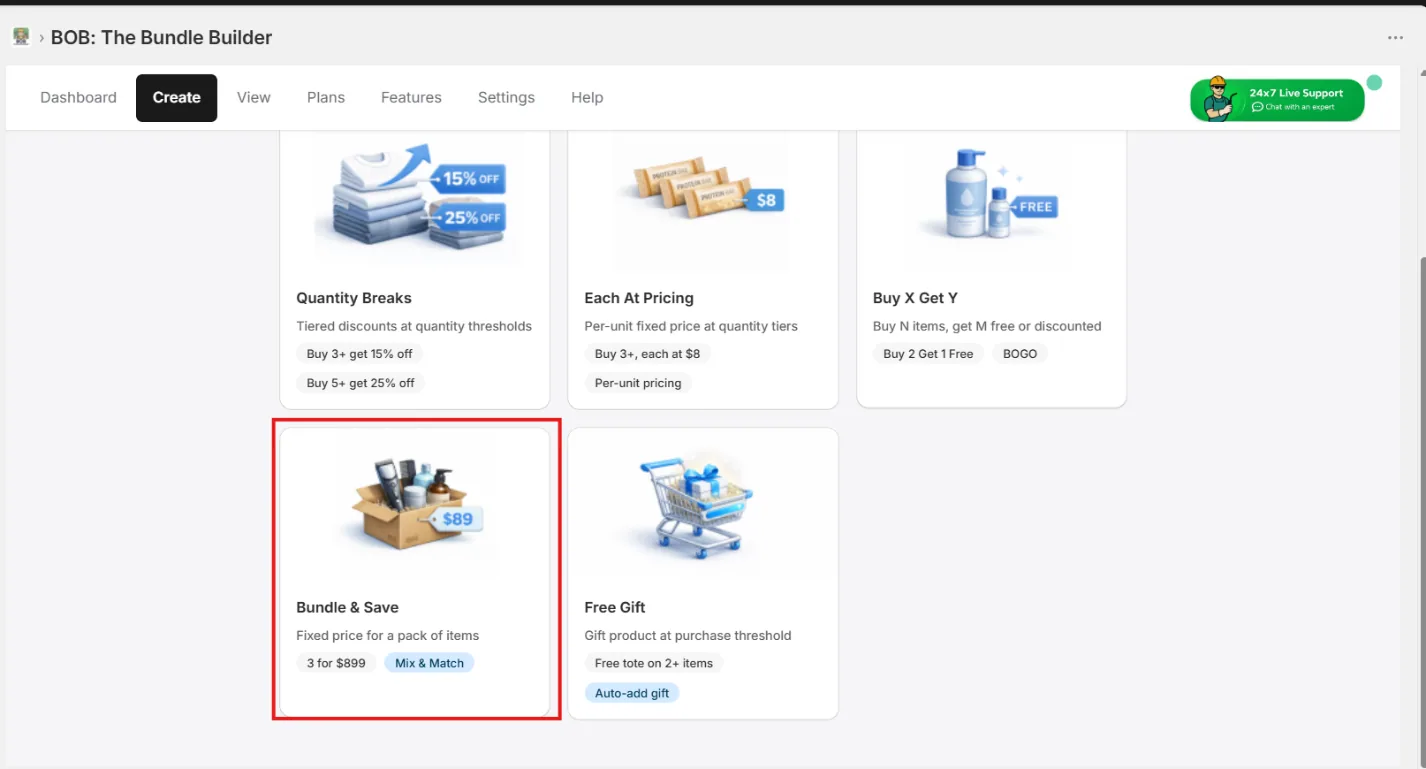
2. Select the products in the bundle
Search and select every product that should be part of the bundle.
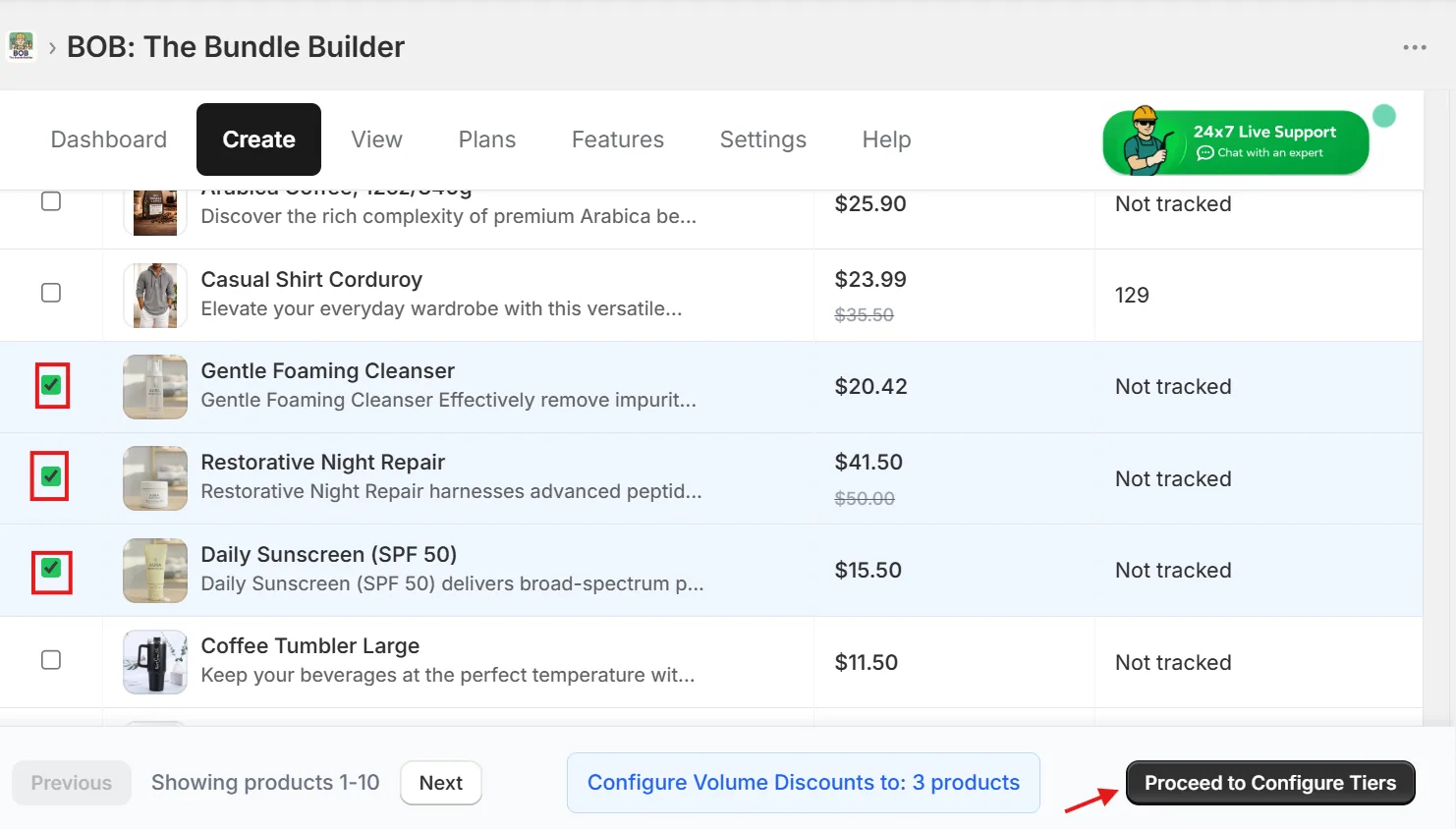
3. Make the offer Mix & Match
Configure the bundle discount and turn on Mix and Match so shoppers can pick any combination of the selected products.
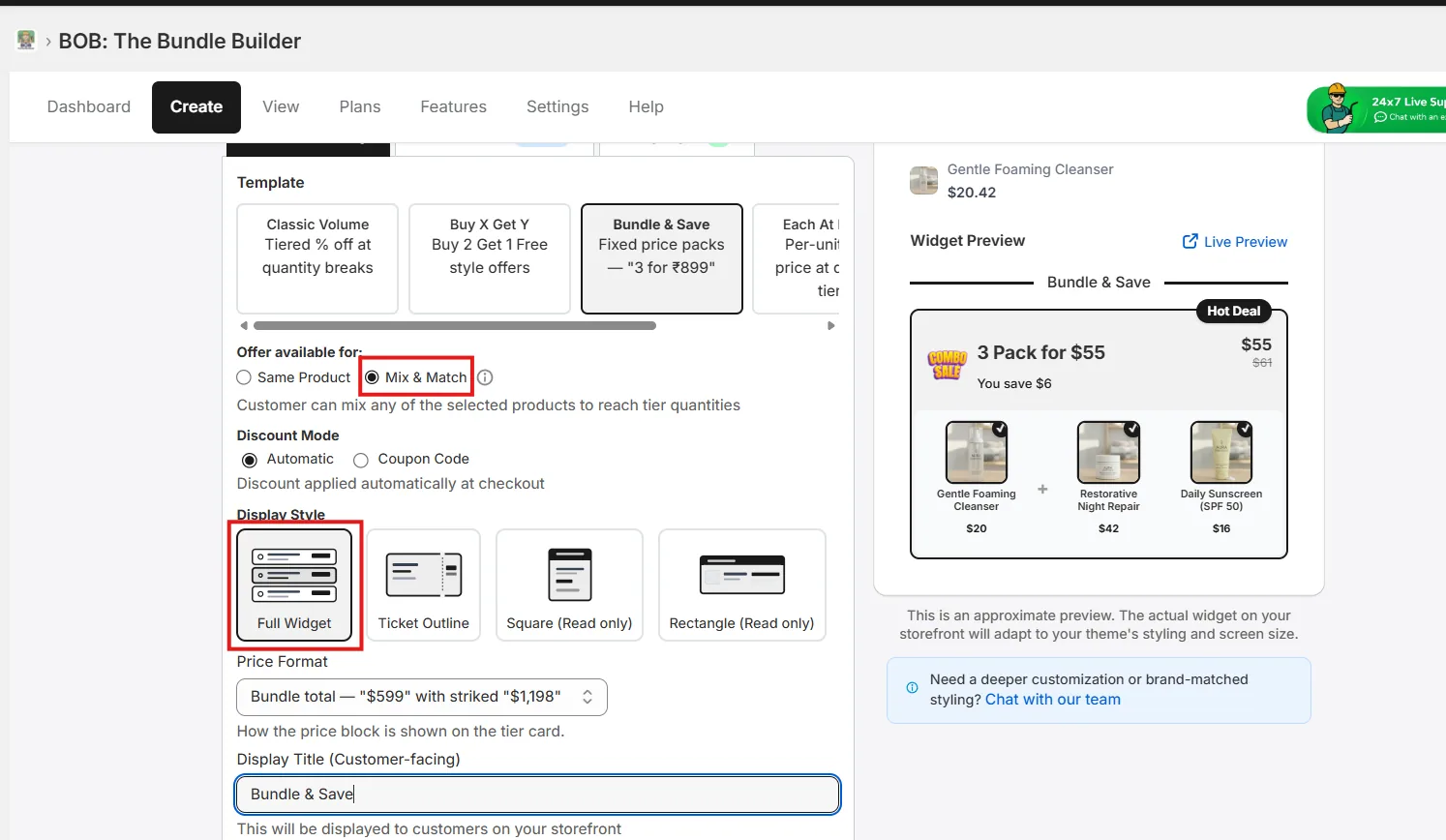
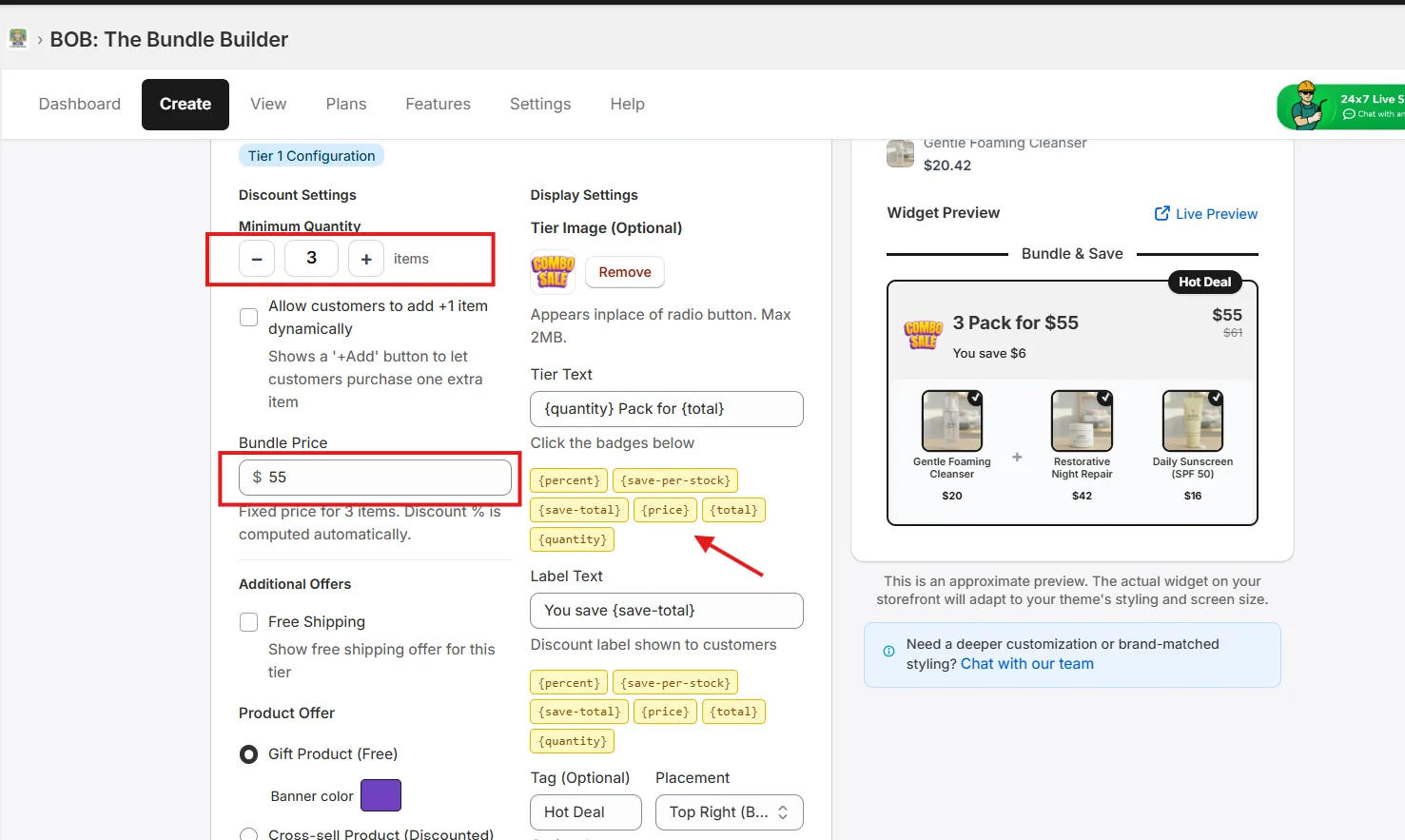
4. Set the quantity tiers
Configure pricing by quantity — add multiple tiers to ladder the offer (e.g. Pack of 3 @ $55, Pack of 6 @ $99).
5. Add free gifts (optional)
Make the offer harder to resist by attaching free gifts to the bundle.
Note: Free gifts are auto-added to the cart when the bundle is purchased.
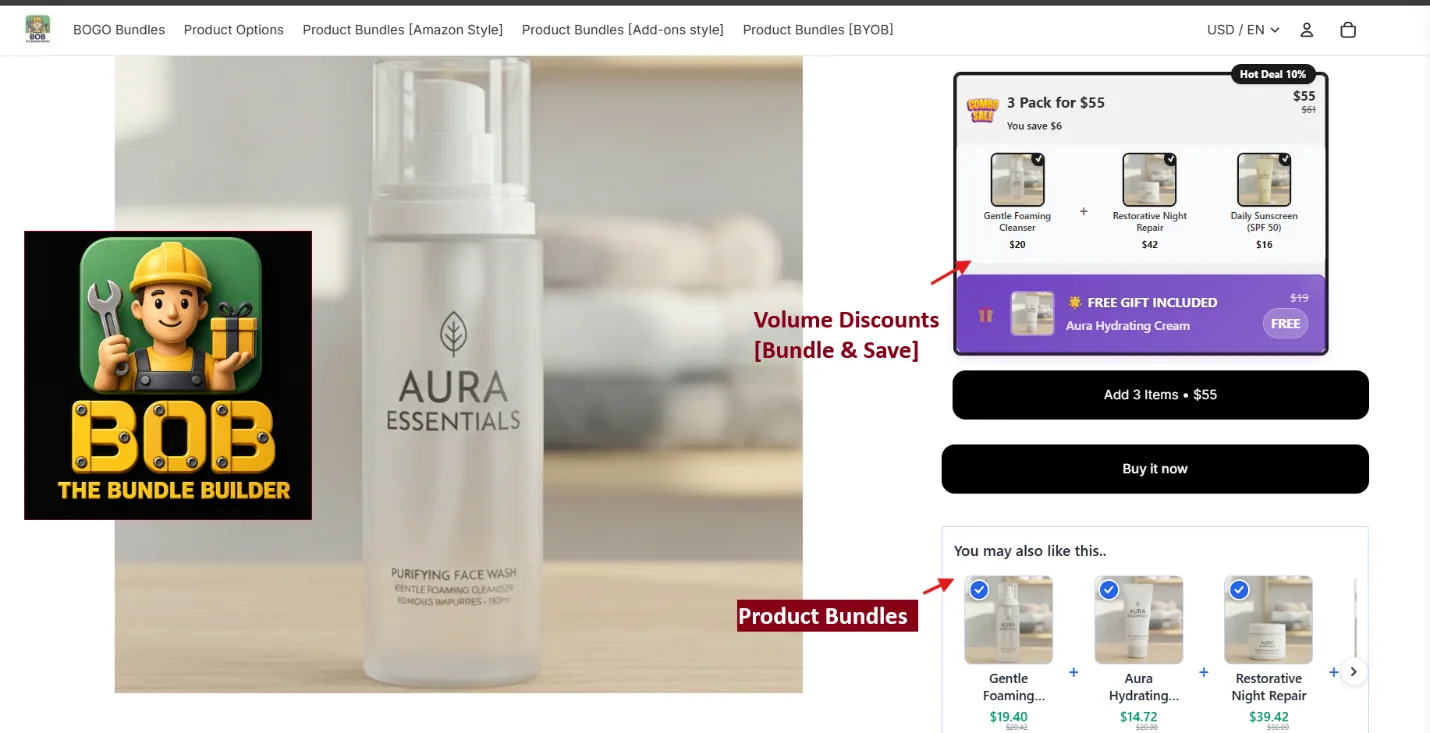
6. Preview on the storefront
After saving, the widget renders on the product page like this:
7. Edit later from View
Saved bundles can be edited any time from the View tab.