1. Install from the Shopify App Store
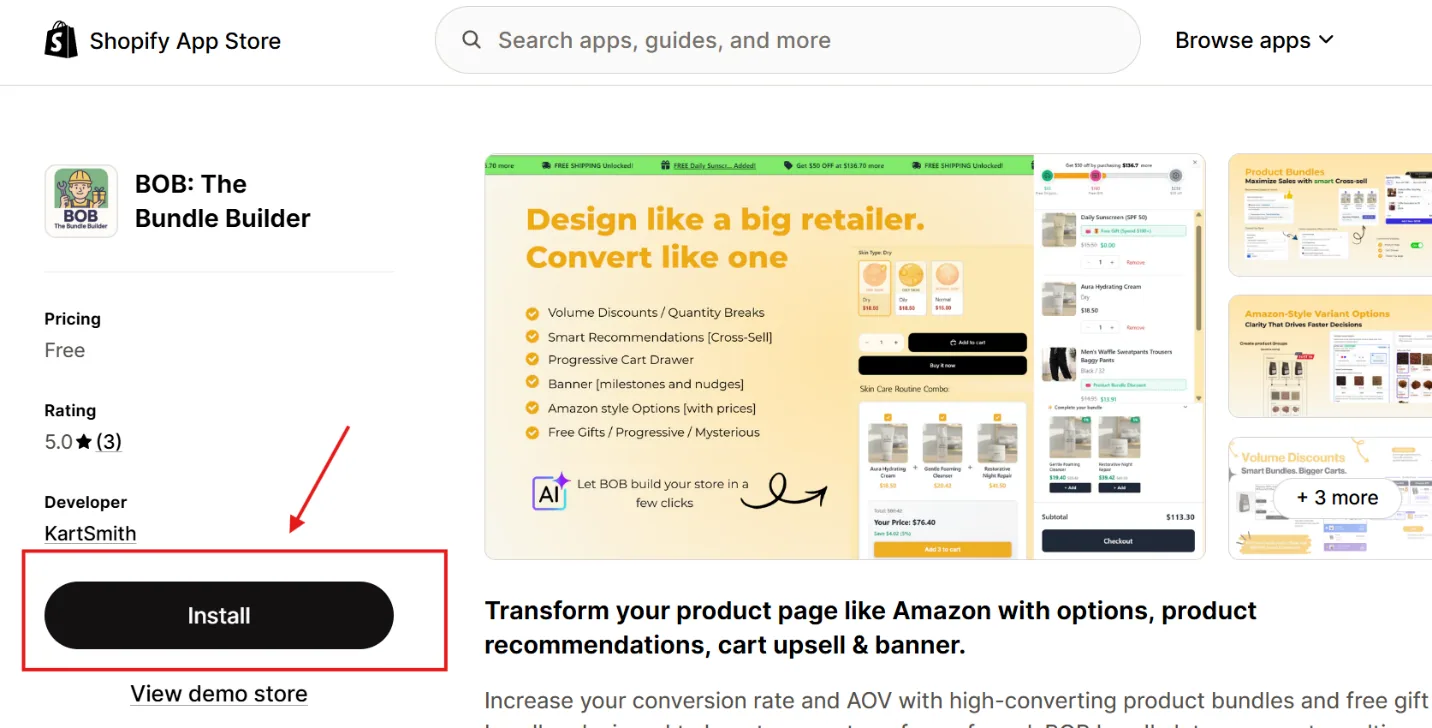
Install BOB: The Bundle Builder from the Shopify App Store.
2. Enable BOB on your storefront theme
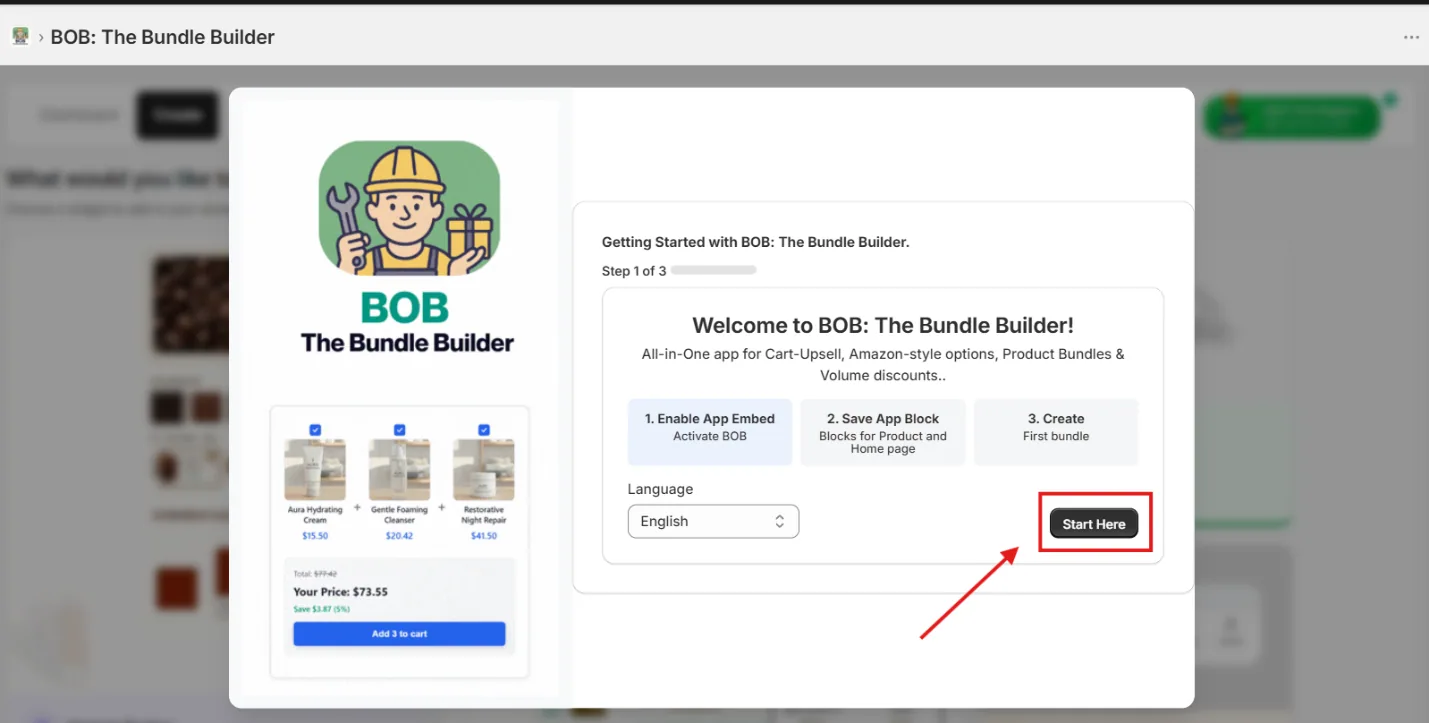
Enable BOB to work seamlessly with your Shopify storefront theme in 3 simple clicks. Start with your choice of language — more languages will be available in coming releases.
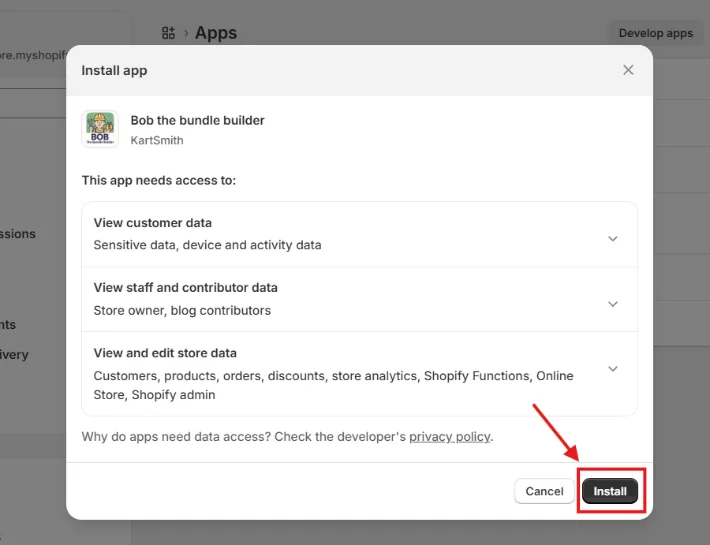
Please refer to our privacy policy.
3. Turn on BOB's App Embed
Enable BOB's App Embed on your Shopify theme.
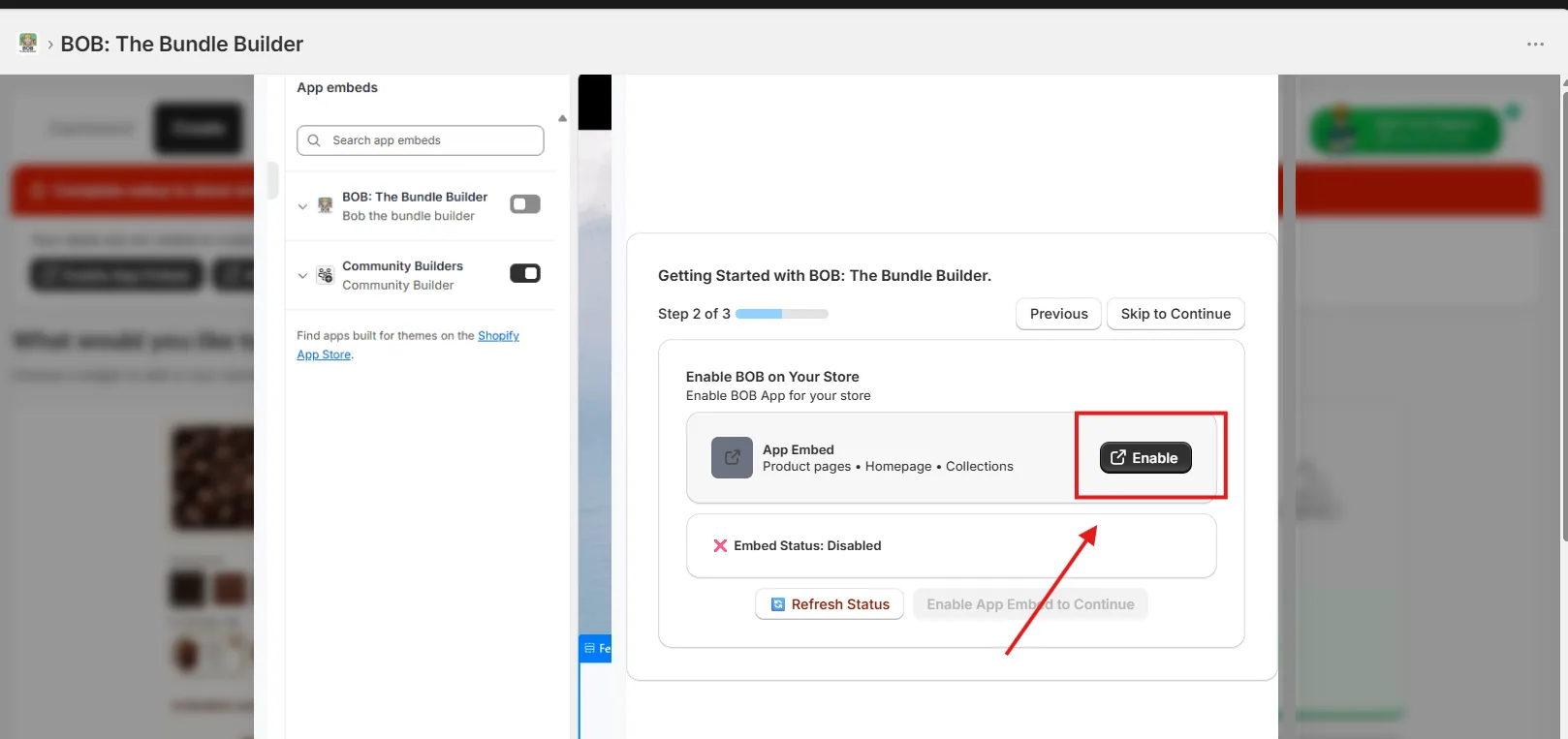
Make sure the toggle is on for BOB App Embed — and don't forget to click Save.
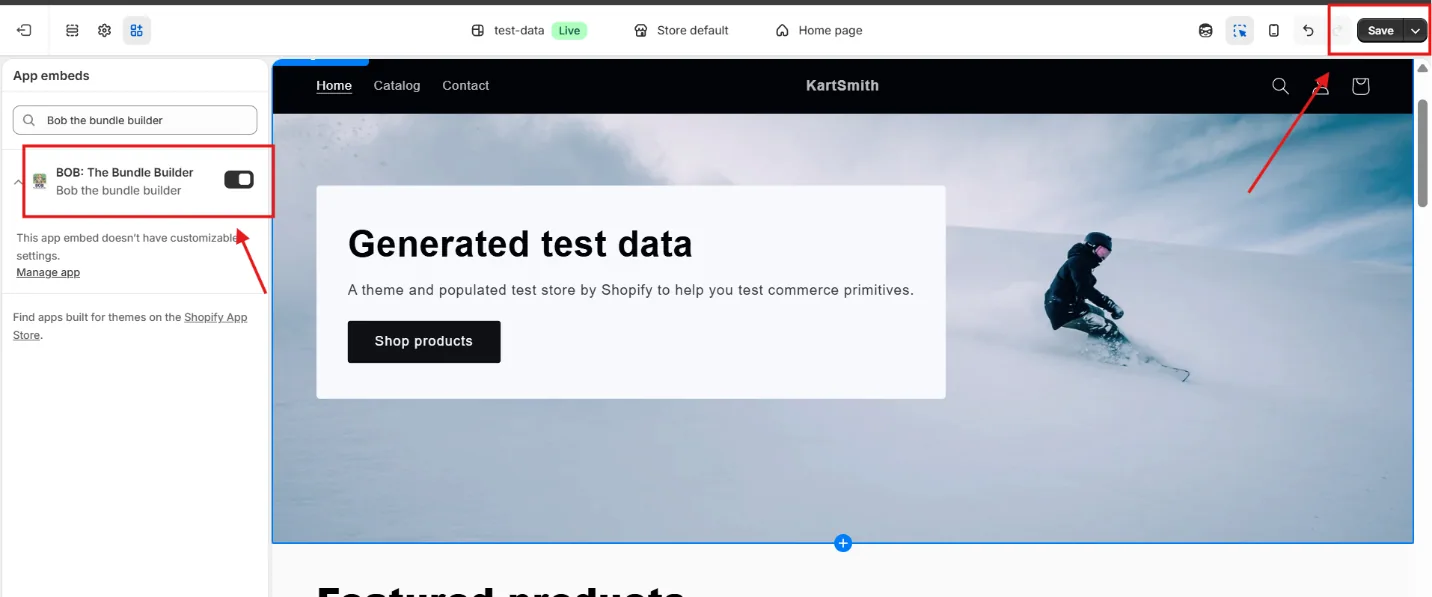
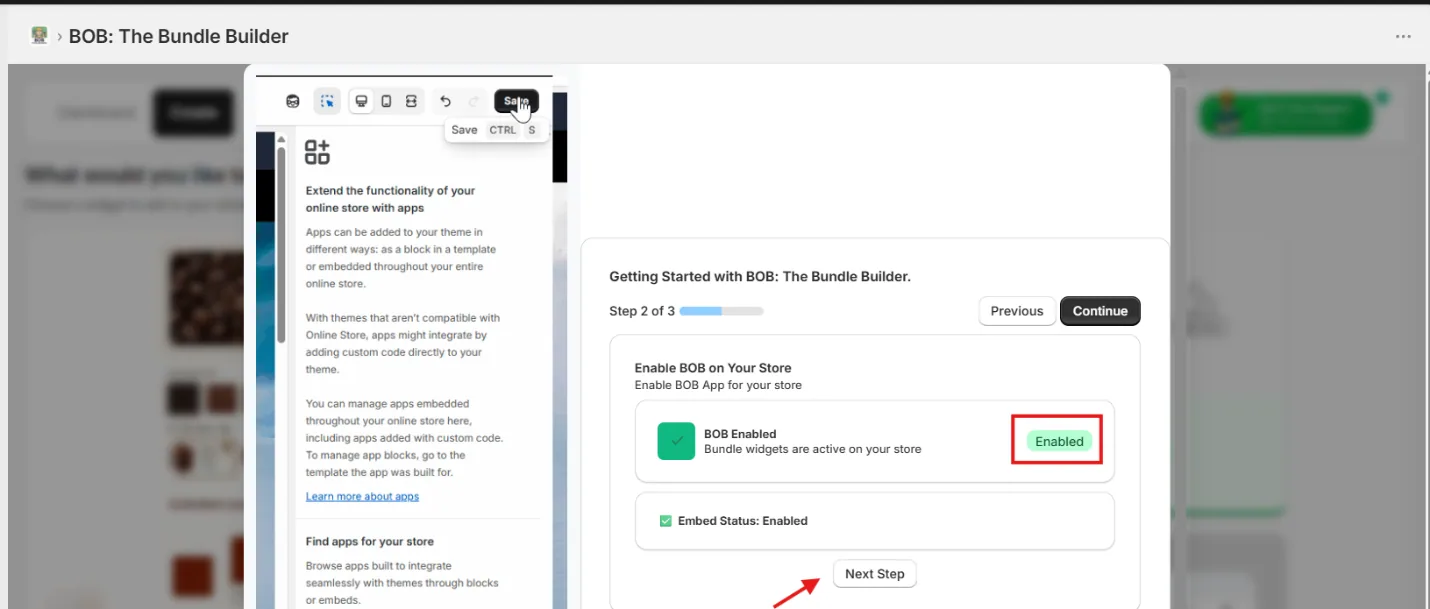
Once saved, you'll see the BOB onboarding modal auto-detect the change.
4. Add the product page widget
Enable server-side rendering liquid blocks on the product page. Click Add to Theme.
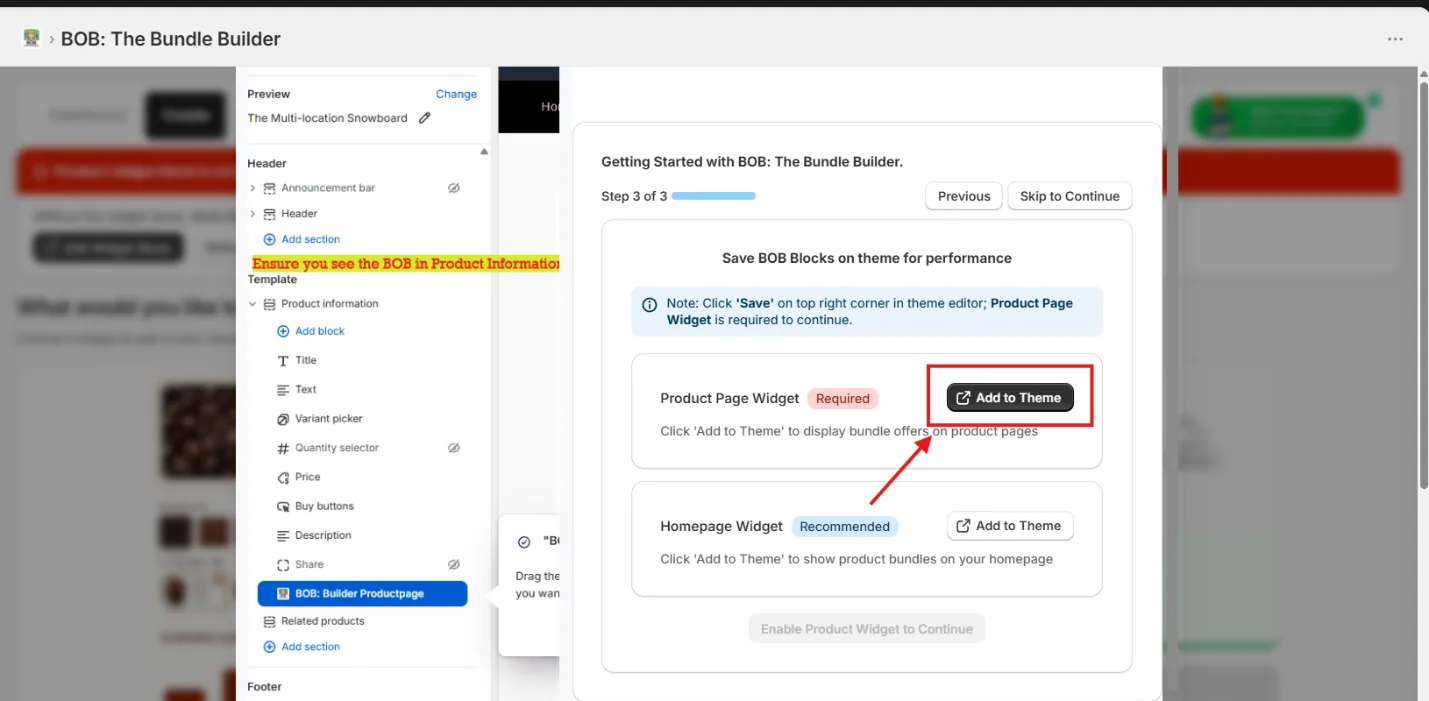
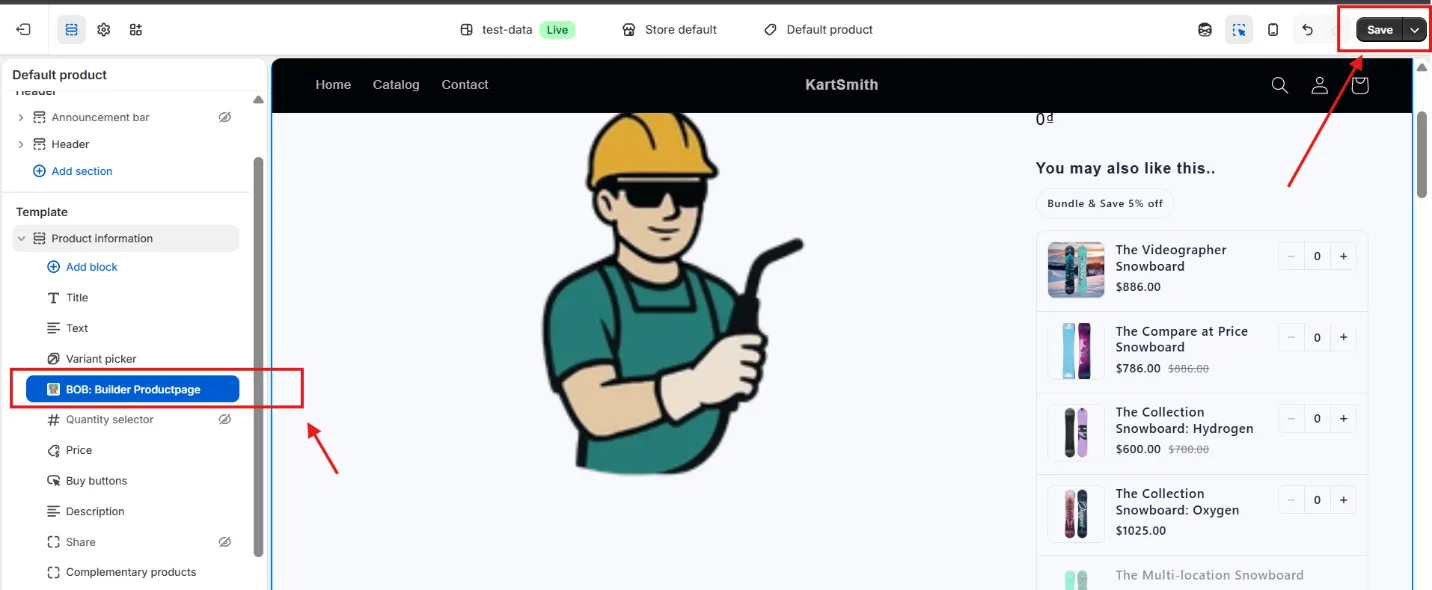
Inside the theme editor, make sure BOB: Builder ProductPage sits right below the Variant Picker (as shown below), then click Save in the top-right corner.
5. (Optional) Enable the homepage widget
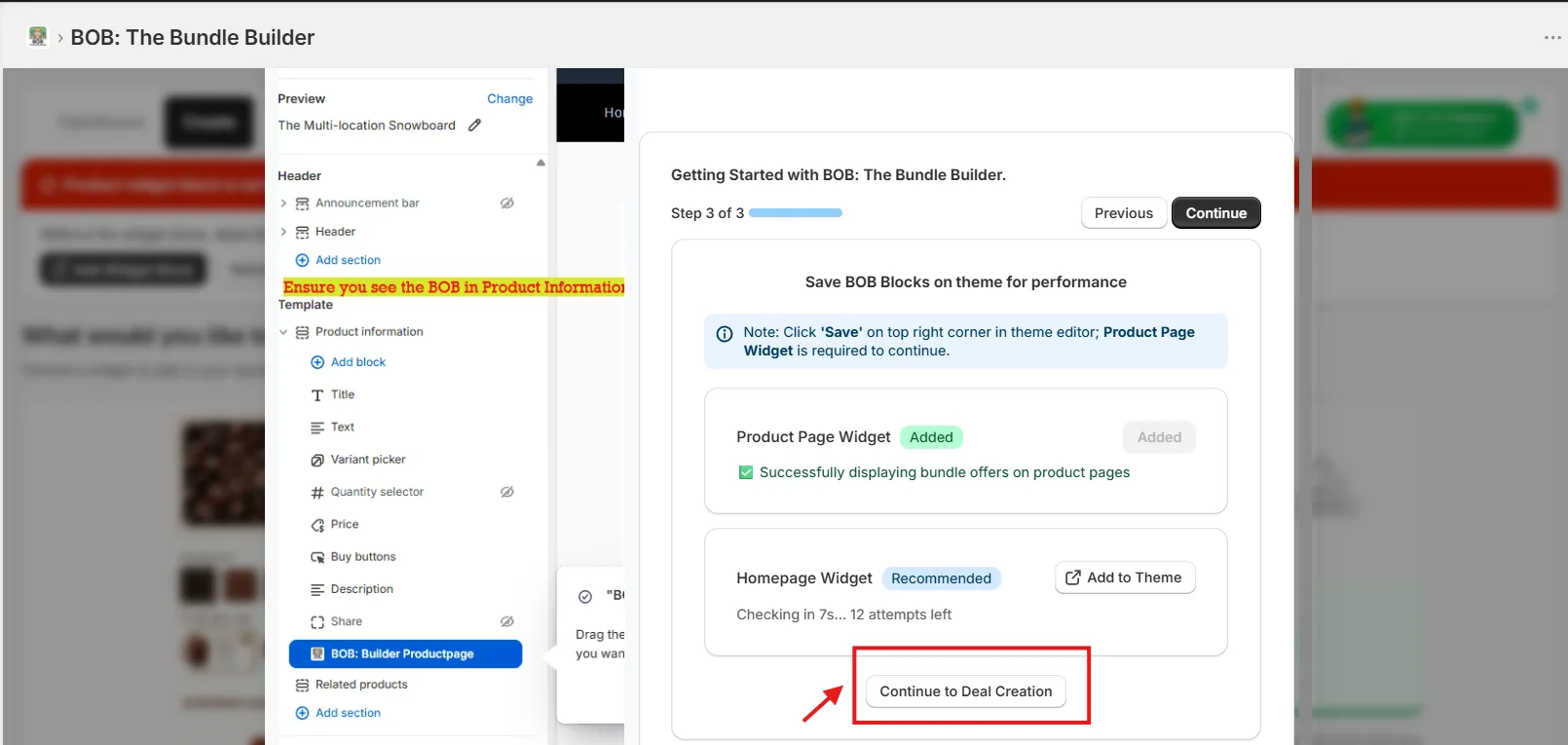
After the product-page widget is in place, you can optionally enable the homepage widget too — then click Continue.
You're done
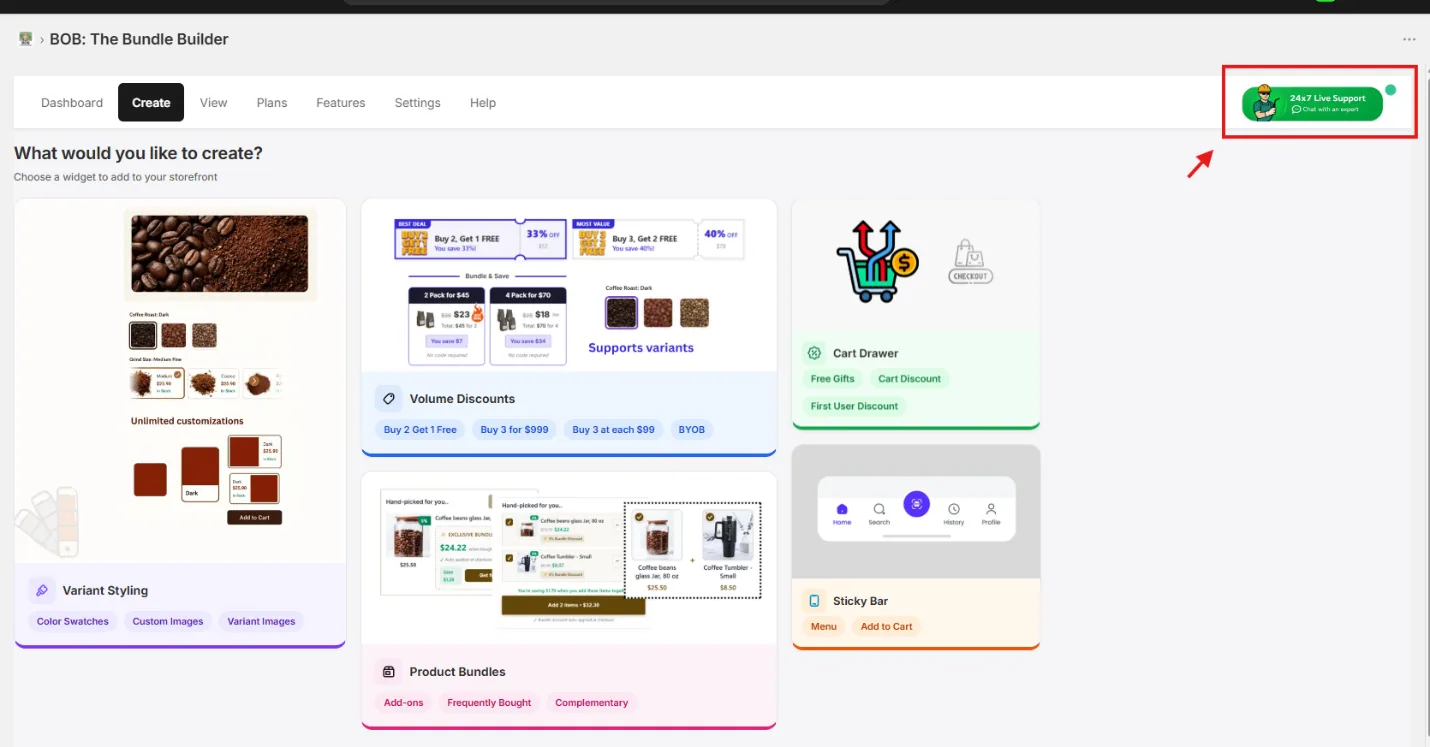
Congratulations — you've completed onboarding. Take a second to breathe, then glance at the Create page. You can always reach us through the top-right 24×7 Live Support chat.